“Digital fluency should mean designing, creating, and remixing, not just browsing, chatting, and interacting.” (Resnick et al., 2009.p60). Most students can operate any cellphone given to them and can text message, tweet or update an Instagram post with great ease. However, digital natives do need to learn various concepts and develop a variety of higher-order thinking skills to have digital fluency and pursue careers as programmers.
In the article Scratch for All, Mitch Resnick describes how students learn mathematical concepts and computational thinking and how to think creatively, reason systematically, and work collaboratively when programming in Scratch. The reason why Scratch has become so popular among students age between 8 and 16 is the fundamental design of the programming environment. “Three core design principles for Scratch: Make it more tinkerable, more meaningful, and more social than other programming environments.” (Resnick et al., 2009.p63).
And that’s why a student I met recently at a New York Middle school has spent the last year and a half programming a game to recreate a childhood video game with additional significant and cool features (he ensured me). He shares his most recent updates with his friends and they seem impressed with his latest new level and extra features. He explained to me that he was passionate about game design and how he spends hours every week trying out other games and refining his design.
For experts who have coded in Scratch or other programming sites creating a game from a blank canvas can be an extremely exciting prospect despite the huge challenge that might lie ahead. However, novices might not feel the same way. So, I decided that if I wanted students without much prior knowledge to be engaged in game design, remixing other basic games was a good place to start ( and I only had 5 hours in total for the workshop).
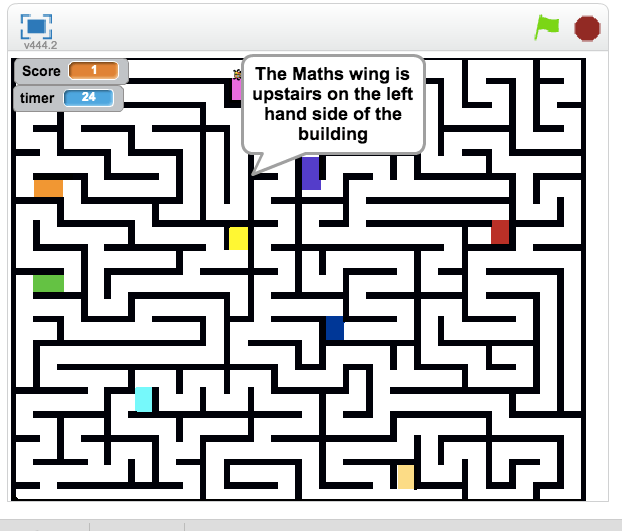
Check out the Grade 7: Game Design Journal and Grade 7 Lesson Plan. This took some planning upfront to prepare different group usernames, passwords and studios for groups to post their games. Students were given one session to be introduced to the programming environment and were given the opportunity to create a quick introduction to a character using some basic features. Students were then exposed to three different games: Maze Game, Scrolling Game and a Pong Game. These served as the starting blocks for remixing. Students were asked to create a game that could be given to new students entering the school the following year as a way to welcome them to the school community. Once students had created their games, we had user-testing which allowed students to try out other games and provide useful feedback. It was a great workshop session where students designed some impressive games with little or no prior experience and had a great time collaborating with peers to plan, design, test and improve their designs. Check out some of the Sample projects from students.


Other useful resources from Scratch: Scratch Introduction in one page and Scratch cards
References
Resnick, M., Maloney, J., Monroy-Hernández, A., Rusk, N., Eastmond, E., Brennan, K., … & Kafai, Y. (2009). Scratch: programming for all.Communications of the ACM, 52(11), 60-67.
 joannebeckwith
Leave a comment